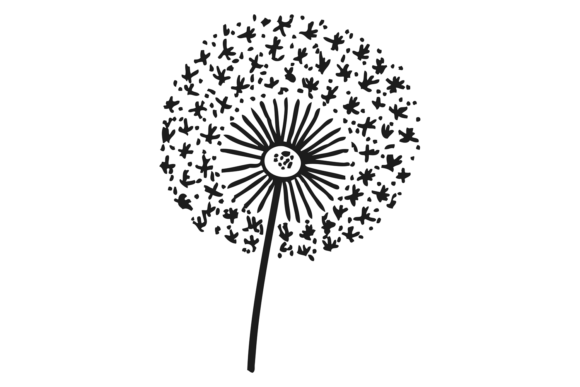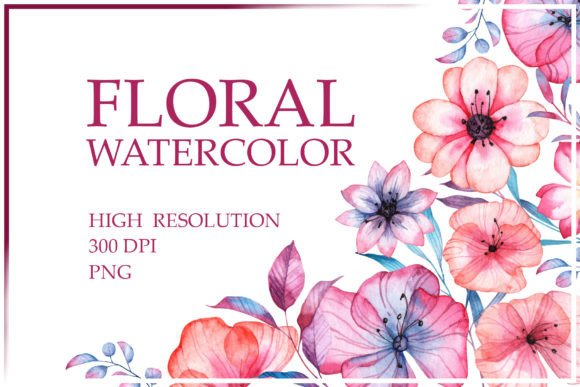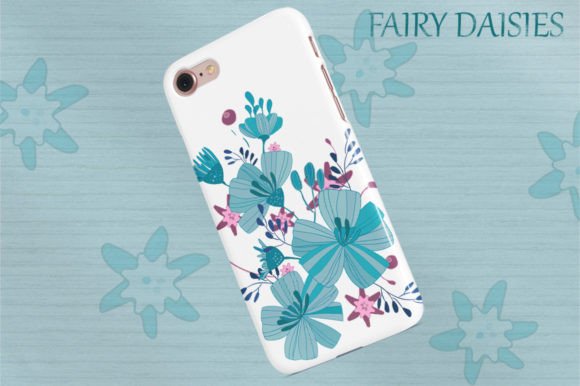
Floral Collection Fairy Daisies, Set
Designing with floral elements is often seen as a straightforward process: pick a pretty flower, place it on the canvas, and call it a day. However, experienced creators know that the difference between a amateur-looking project and a professional-grade design lies in the details of the assets themselves. The Floral Collection Fairy Daisies, Set addresses this need by providing a comprehensive suite of 40 individual graphics designed for high-impact visual communication. Whether you are creating intricate patterns, designing stationery for a boutique wedding, or crafting social media content for a lifestyle brand, having access to versatile, high-quality vector files can significantly elevate your workflow.
This collection is not just about aesthetics; it is about utility. It includes transparent PNGs alongside editable vector files in EPS and AI formats. For many beginners, the distinction between these file types might seem technical and unimportant until they hit a snag during printing or scaling. Understanding how to leverage these specific formats is crucial for avoiding costly mistakes in production and digital presentation.
The Critical Difference Between Raster and Vector Assets
One of the most common misunderstandings among hobbyists and even some small business owners is assuming that all image files are created equal. When browsing asset libraries, users often gravitate toward JPEGs or standard PNGs because they are easy to open. However, relying solely on raster images (pixels) for projects like large-format posters, banners, or high-resolution prints can lead to pixelation and blurriness when scaled up.
The Floral Collection Fairy Daisies, Set mitigates this risk by including both .png files at 300 dpi and editable vector files (.eps and .ai). This dual format ensures flexibility. If you are working on a mood board for Instagram, the 300 dpi transparent PNGs provide immediate, crisp results without requiring complex software. But if you are preparing a wedding invitation that needs to be printed on textured cardstock at A3 size, the vector files allow you to scale the daisy graphics infinitely without losing any edge sharpness or detail.
Common Mistake: Downloading only the PNG version and attempting to stretch the image for a large banner, resulting in a blurry, unprofessional finish. Better Approach: Always check if the package includes vector files (.ai/.eps) before starting a print-heavy project. Use the vectors for scalable elements and the PNGs for quick digital mockups.
Transparency Matters More Than You Think
When integrating floral elements into existing designs, the background of the graphic is just as important as the graphic itself. Many free or low-cost clipart sets come with white backgrounds that are difficult to remove cleanly, especially around delicate petals and fine stems. Attempting to use the "magic wand" tool in basic editing software often leaves behind jagged edges or residual halos, which can ruin the seamless look of a pattern or a layered composition.
A key feature of this set is that each individual graphic is saved as a .png with a transparent background. This means you can drop the fairy daisies directly onto dark paper textures, vibrant gradients, or complex photographic backgrounds without worrying about clipping out white boxes. This saves hours of manual editing time and ensures a cleaner, more polished final output.
Practical Advice: Before purchasing or downloading any floral asset pack, verify the transparency of the PNGs. Look at the preview images closely. If the edges look soft or have a white halo, avoid them. The inclusion of transparent backgrounds in the Floral Collection Fairy Daisies, Set allows for immediate layering in Photoshop, Illustrator, or Canva, streamlining your creative process.
Maximizing Versatility Across Multiple Platforms
Modern creators rarely work on just one type of medium. A single project might require assets for a physical product (like a greeting card), a digital advertisement (an Instagram post), and internal planning (a mood board). Managing different file formats for each purpose can become chaotic. This is where the structure of the Floral Collection Fairy Daisies, Set shines.
- For Print Designers: Use the AI and EPS files. These are native vector formats that integrate seamlessly with Adobe Illustrator and InDesign. They allow for color adjustments, resizing, and combining shapes to create custom floral arrangements that fit your brand’s specific color palette.
- For Social Media Managers: Utilize the 300 dpi PNGs. These are ready-to-use for platforms like Instagram, Pinterest, and Facebook. The high resolution ensures that your posts look sharp on retina displays, while the transparency allows for creative overlays on video thumbnails or story backgrounds.
- For Educators and Hobbyists: The variety of 40 individual graphics provides ample material for scrapbooking, journaling, or classroom decorations. The ease of use means you don’t need advanced design skills to create beautiful layouts.
Evaluating Value Beyond the Price Tag
When evaluating digital assets, price is often the first metric considered, but it should not be the only one. A cheaper pack might offer 100 images, but if they are low-resolution, have white backgrounds, or lack vector capabilities, their utility is severely limited. Conversely, a premium set like the Floral Collection Fairy Daisies, Set offers a curated selection of 40 high-quality graphics. Quality over quantity is a principle that holds true in design.
Furthermore, consider the longevity of the files. Vector files (.ai, .eps) are future-proof. As design software updates, these formats remain compatible, whereas proprietary formats from specific apps may become obsolete. By investing in a set that includes editable vectors, you are securing assets that can be used across multiple years and various design ecosystems.
Checklist Before You Buy:
- Does the package include both raster (PNG/JPG) and vector (AI/EPS/SVG) files?
- Are the PNGs truly transparent, or do they have hidden white backgrounds?
- Is the resolution of the raster files sufficient for your intended use (e.g., 300 dpi for print)?
- How many individual graphics are included? Is there enough variety to create diverse compositions?
Integrating Floral Elements Without Overwhelming the Design
Even with perfect assets, poor application can lead to cluttered designs. Fairy daisies, with their delicate and whimsical nature, are powerful tools but must be used with restraint. A common error is overcrowding the frame with too many floral elements, which distracts from the main message, whether that is a sale announcement, a wedding date, or a blog header.
The Floral Collection Fairy Daisies, Set encourages balance by offering individual graphics rather than just pre-made clusters. This allows you to build your own compositions. Start with a single stem or bloom as an accent, then gradually add layers. Use the vector capabilities to vary the opacity and size, creating depth. For example, placing a larger, semi-transparent daisy in the background while keeping a smaller, opaque one in the foreground adds a sophisticated three-dimensional effect.
In conclusion, the Floral Collection Fairy Daisies, Set is more than just a bundle of pictures; it is a toolkit for efficient, high-quality design. By understanding the value of vector files, the importance of transparency, and the versatility required for modern multi-platform content creation, you can make informed decisions that save time and enhance your creative output. Happy designing.